
Exchange Method Selection
Currently, two exchange methods are available:
- Exchange Using Wallet Balance
- Exchange Using Credit Limit
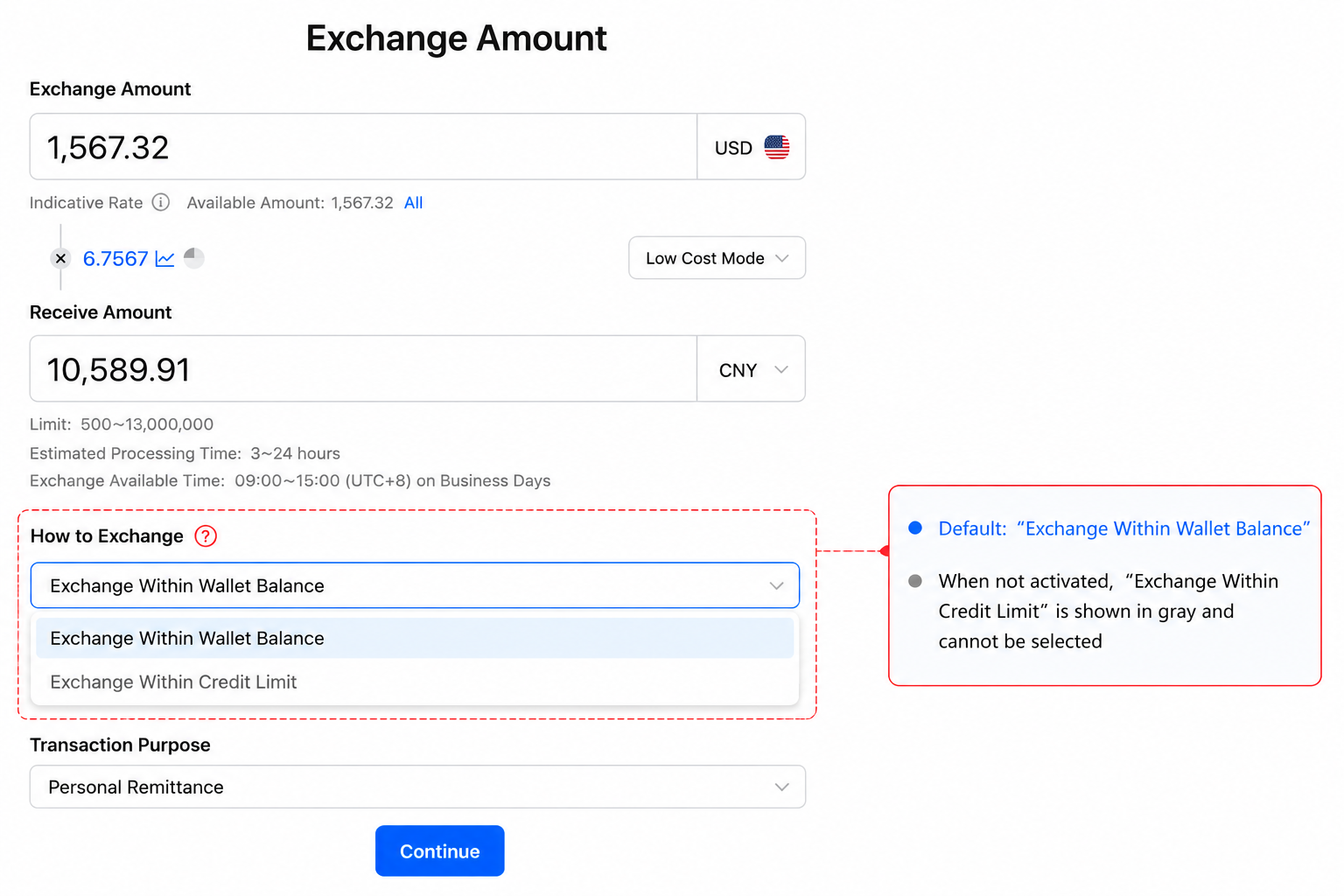
If the “Exchange Using Credit Limit” option is greyed out and you would like to use this feature, please contact your Account Manager.
Exchange Method Description
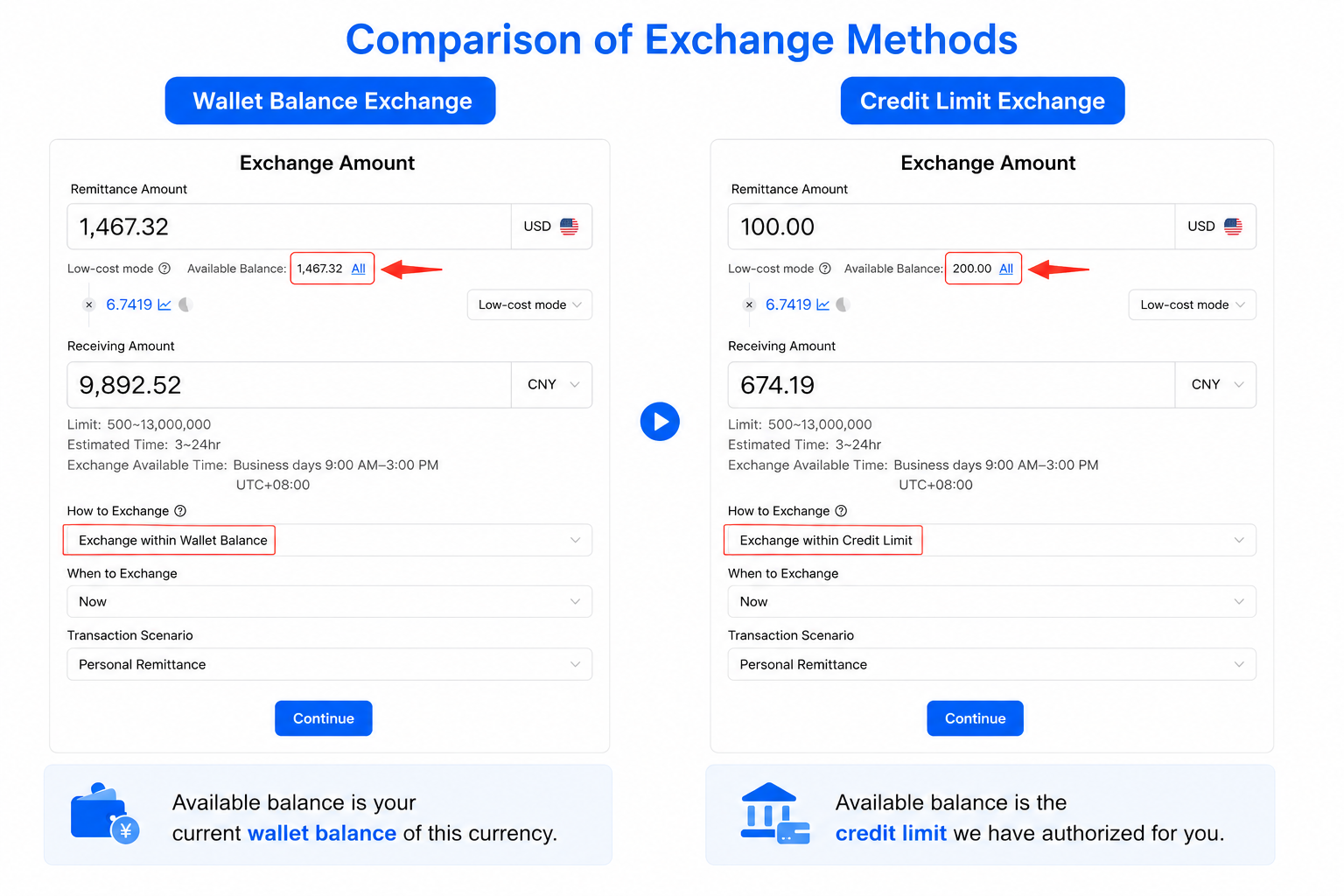
Exchange Method | Description |
Exchange Using Wallet Balance | Exchange currencies using the available balance in your wallet. Please ensure that your wallet has sufficient available balance before proceeding. |
Exchange Using Credit Limit | Before using Exchange Using Credit Limit, please contact your Account Manager to enable this feature and authorize a credit limit for your account.Once enabled, you can select Exchange Using Credit Limit under “How to Exchange”. The system will use your currently available credit limit as the available balance for the exchange. |
Frequently Asked Questions (FAQ)
Question | Answer |
Why is the “Exchange Using Credit Limit” option unavailable? | This feature is currently unavailable for your account. If you would like to use this feature, please contact your Account Manager. |
Which currencies are supported for exchange using a credit limit? | Currently, only USD is supported. |
Can I exchange currencies without using a credit limit? | Yes. By default, exchanges are made using the available balance in your wallet. Please ensure that your wallet has sufficient available balance before proceeding. |