
Business Scenario Overview
In the context of globalized employment, an increasing number of overseas enterprises need to pay salaries, compensation, or service fees to employees or partners located in mainland China. Due to the complexity of cross-border payment processes, strict compliance requirements, and high operational costs, enterprises often face challenges such as low efficiency and difficulties in reconciliation during payroll distribution.
This product is designed for overseas enterprises to distribute payroll to employees in China, providing a one-stop corporate payroll solution. Enterprises can remit payroll funds into the platform in a compliant manner, and the platform will distribute the funds to employees’ designated Chinese accounts safely and efficiently according to the enterprise’s instructions.
To accommodate different levels of technical capability and usage preferences, the platform offers two access models:
- Enterprises with technical capabilities can integrate via API interfaces to achieve automated payroll processing and seamless system integration;
- Enterprises without technical capabilities can use the SaaS management console provided by the platform to manage employees, execute payroll payments, and track results through a visual interface.
With this product, enterprises can streamline cross-border payroll operations, improve payment efficiency, and reduce operational and technical costs while fully complying with regulatory requirements.
Note: For the Payroll 2.0 product, the maximum transaction amount per payment is RMB 300,000.
SaaS Platform User Guide
Related Links
1. Log in to the SaaS Platform
Log in to the SaaS platform using the merchant account and password provided by xCurrency.
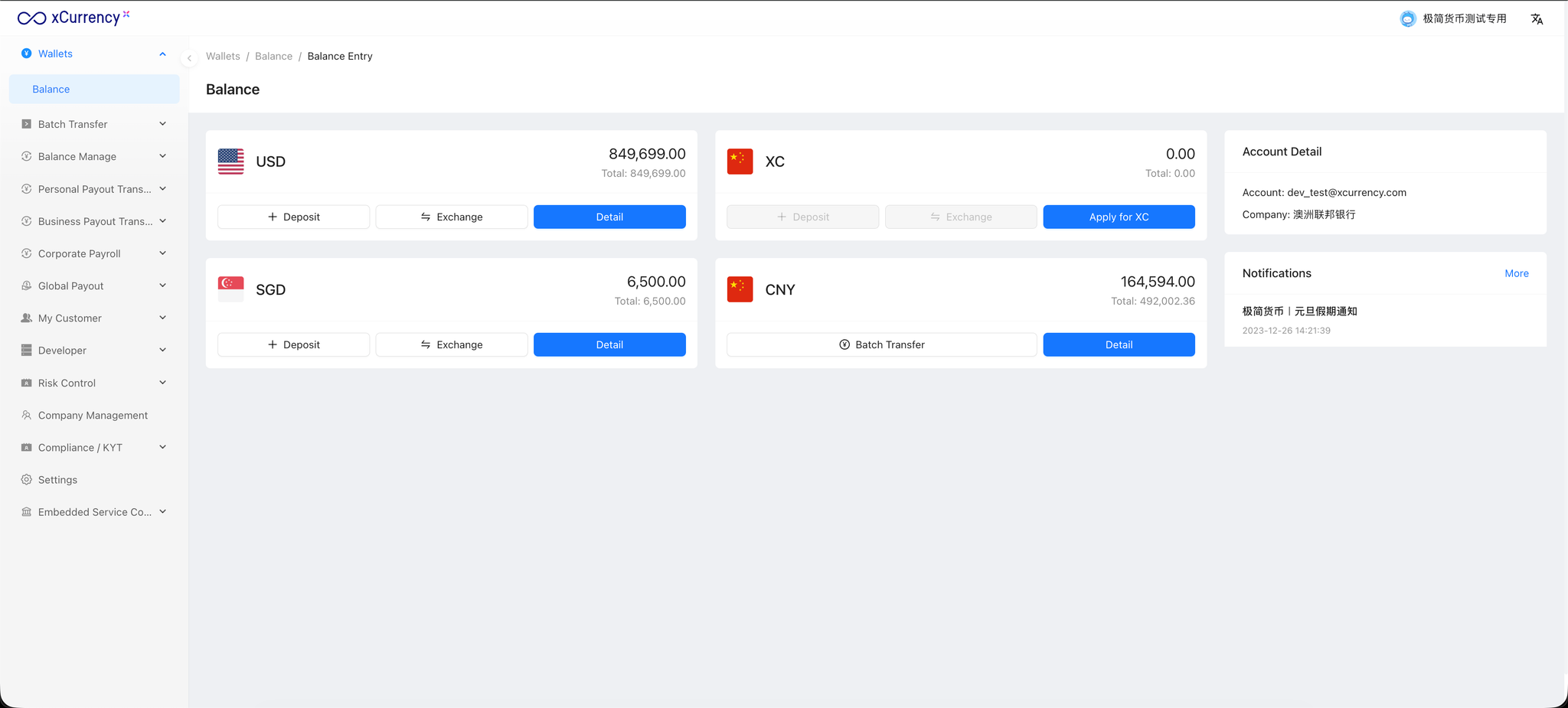
2. Submit Payer Company Information for Review
Before creating payroll payment orders, the payer company must be submitted for review.
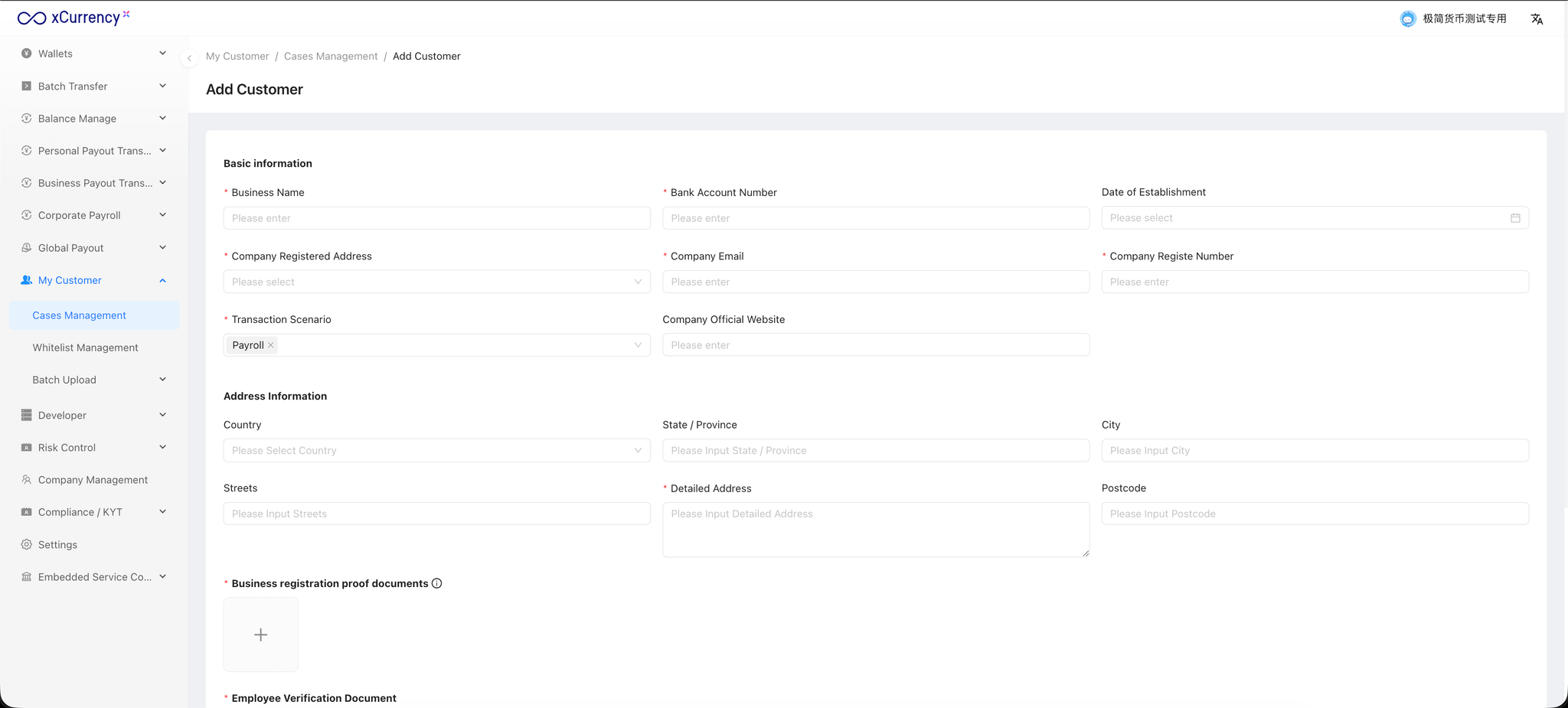
On the left-hand menu, navigate to “My Customer” → “Cases Management”, then click the “Add Customer” button in the top-right corner and select “Entity” → “Enterprise Payroll”.
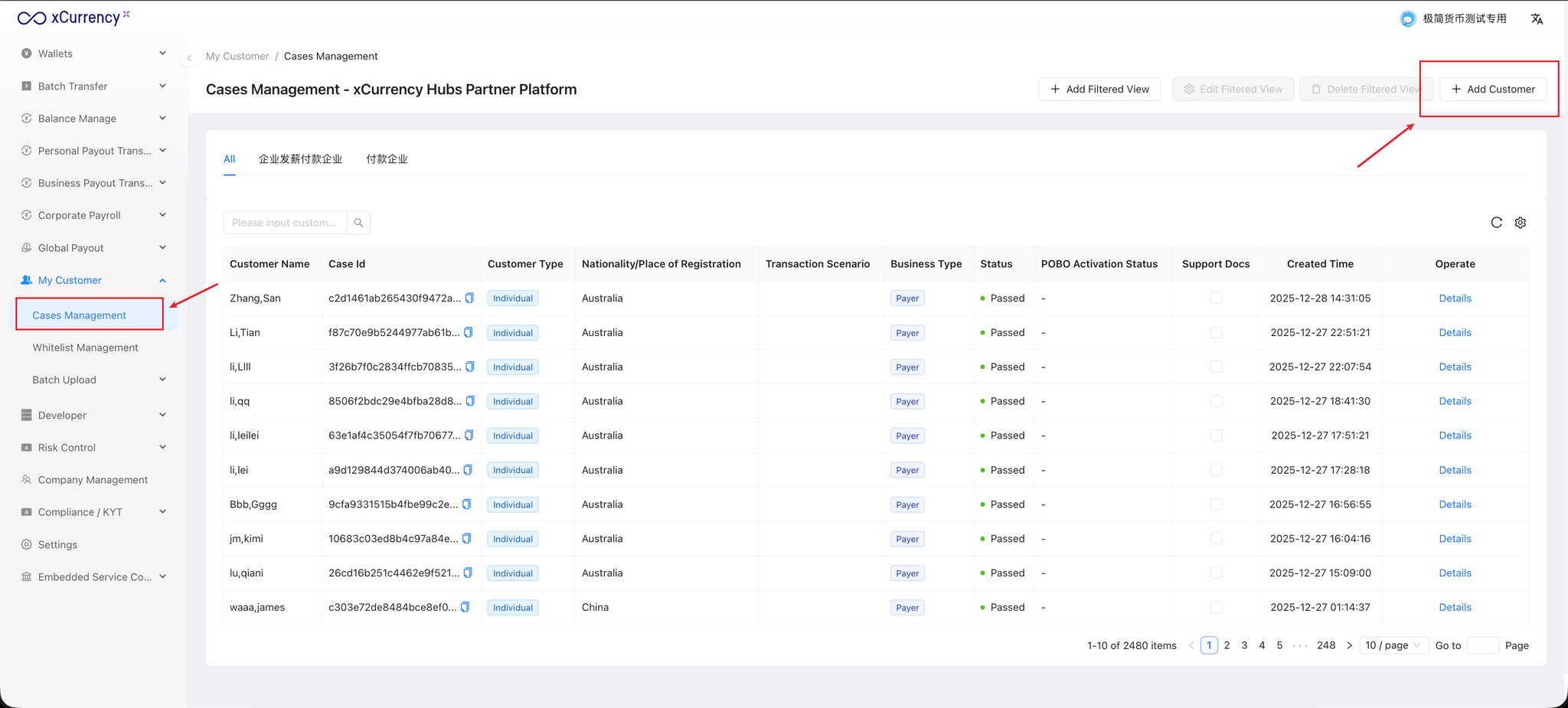
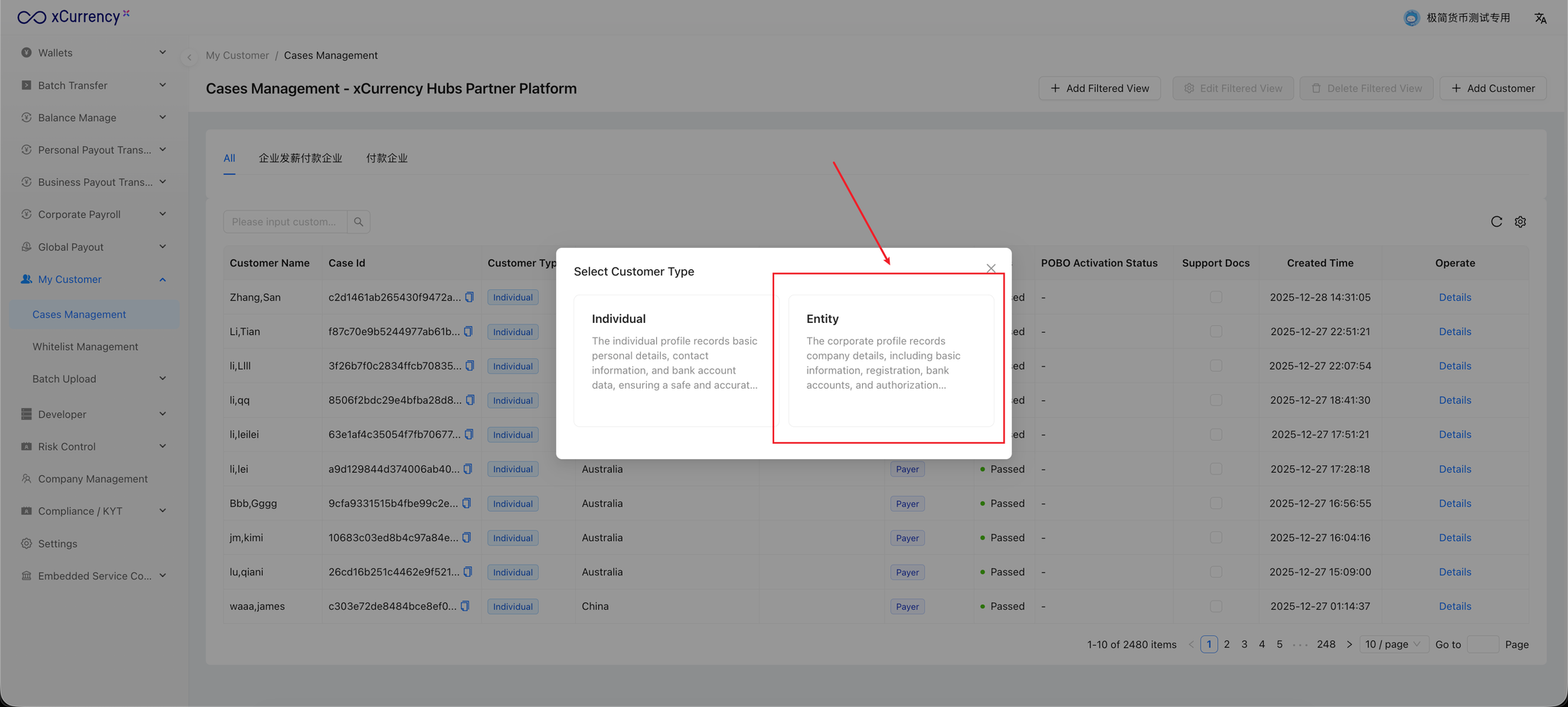
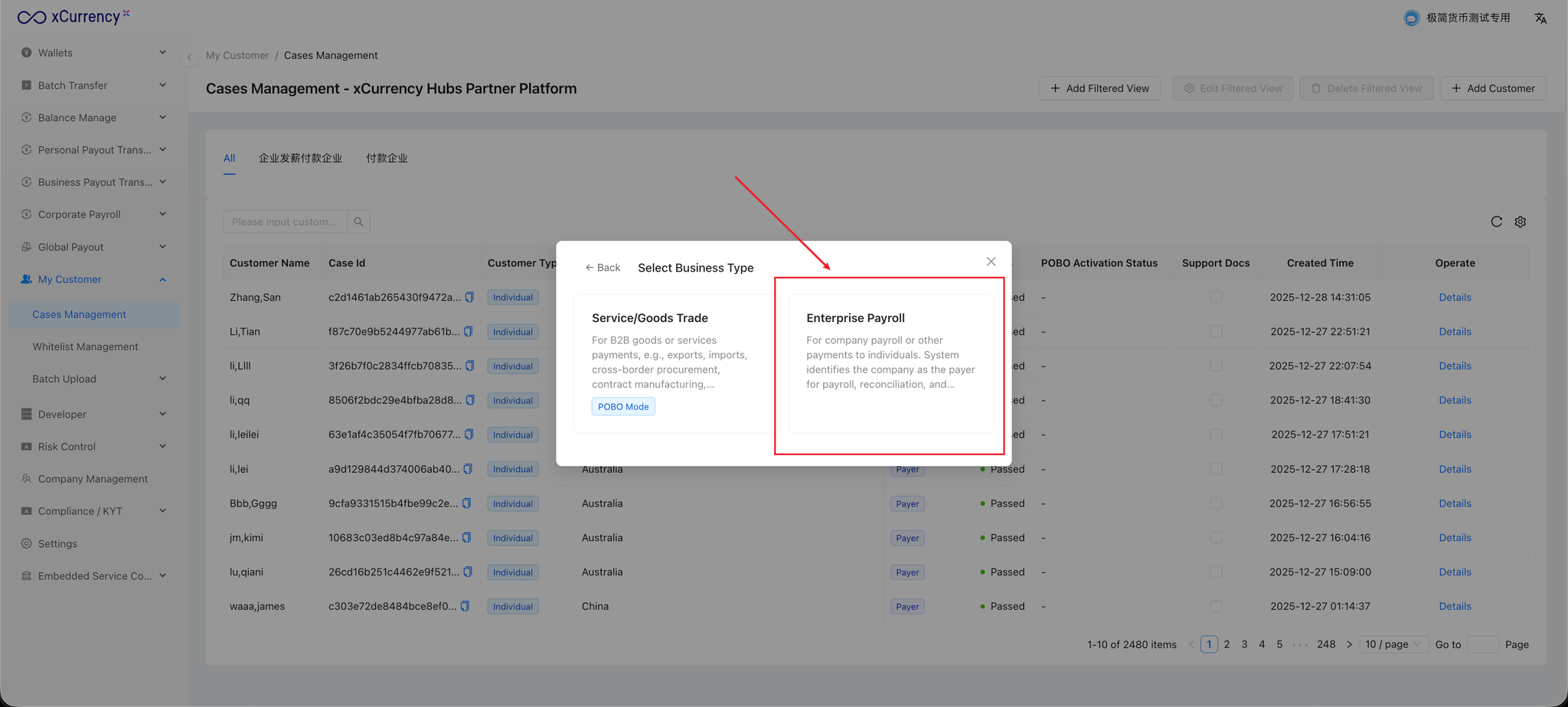
Complete all required information and upload the relevant supporting documents for the payer company, then click “Add Customer” at the bottom of the page.
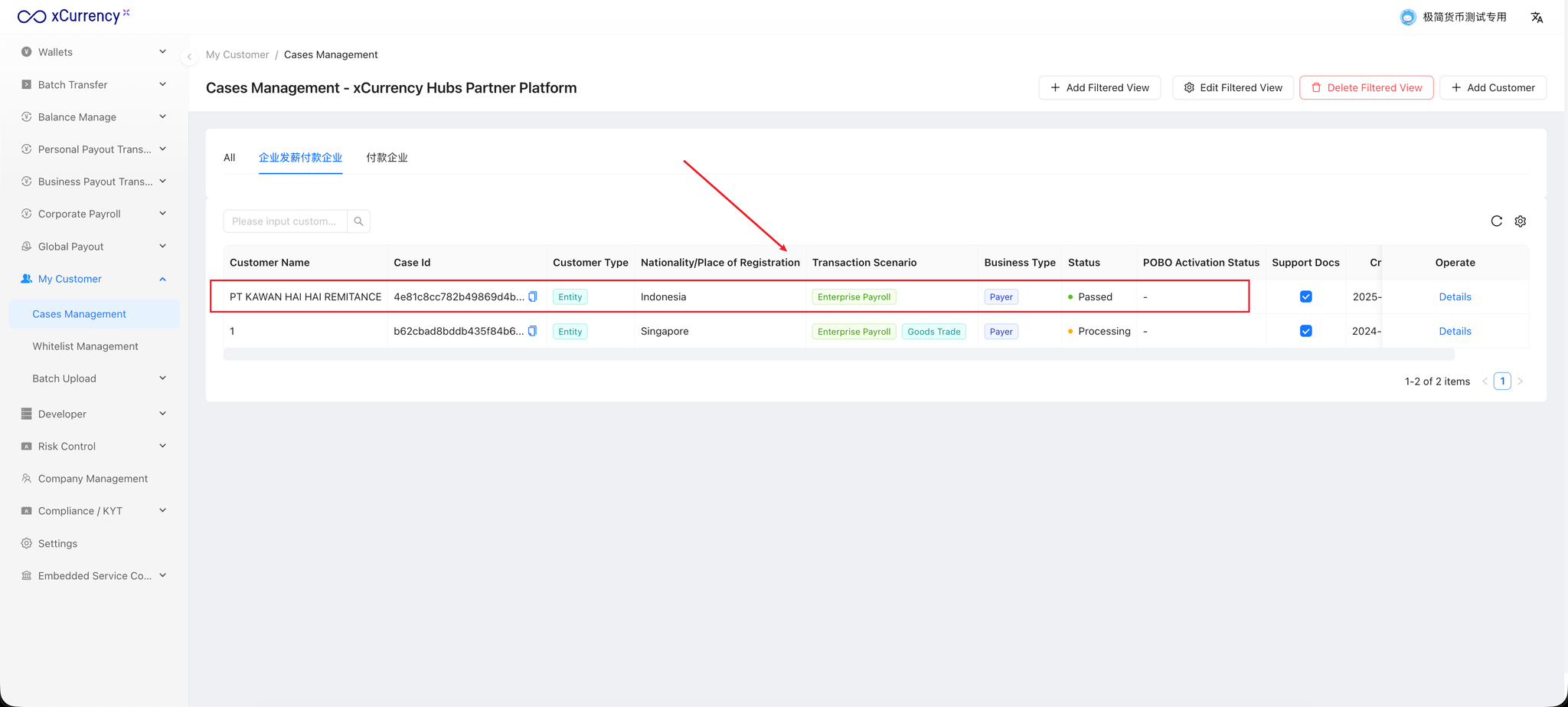
After submission, the review status can be checked in “Cases Management”.
Only after the payer company has passed the review can it be used to create corporate payroll orders.
Note: The review process typically takes within one business day.
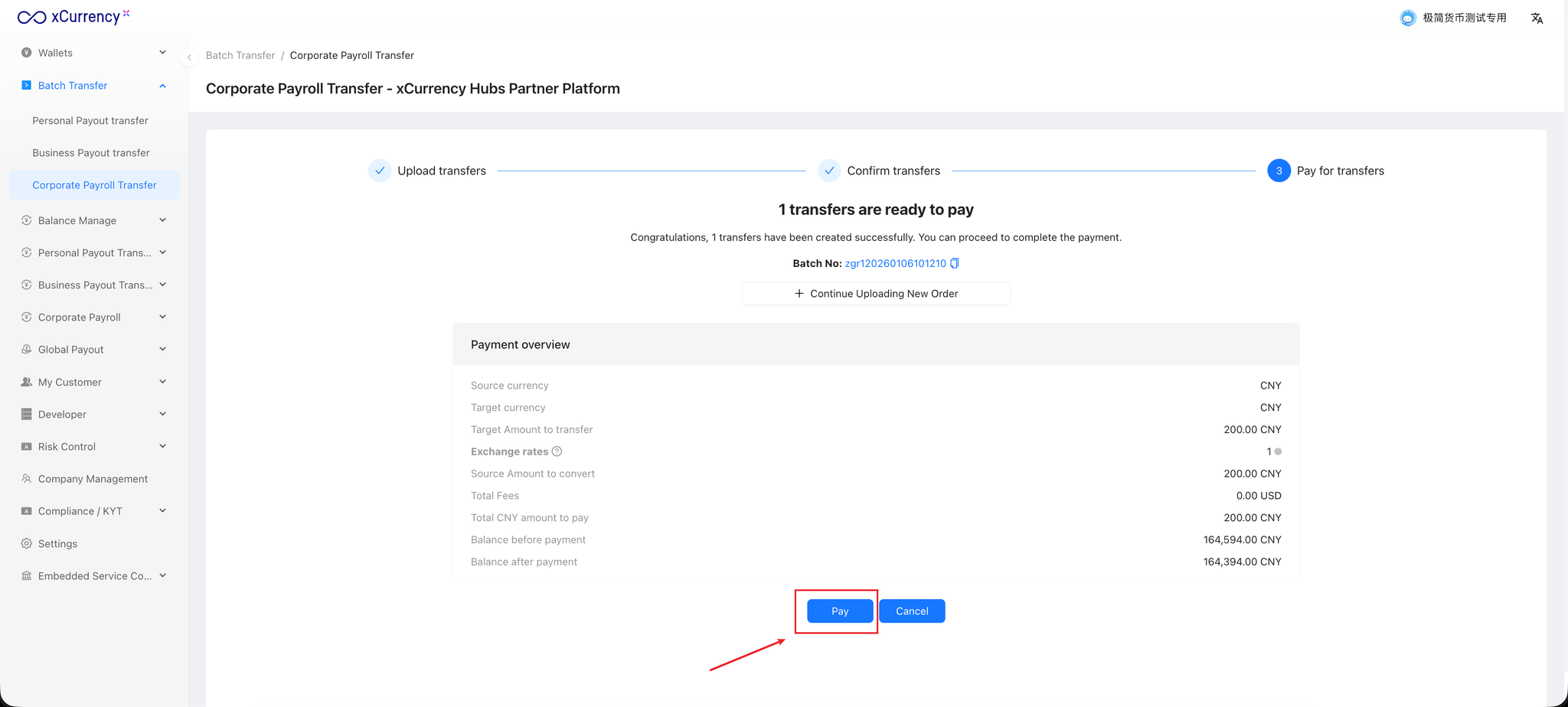
3. Create Corporate Payroll Orders Using Batch Transfer
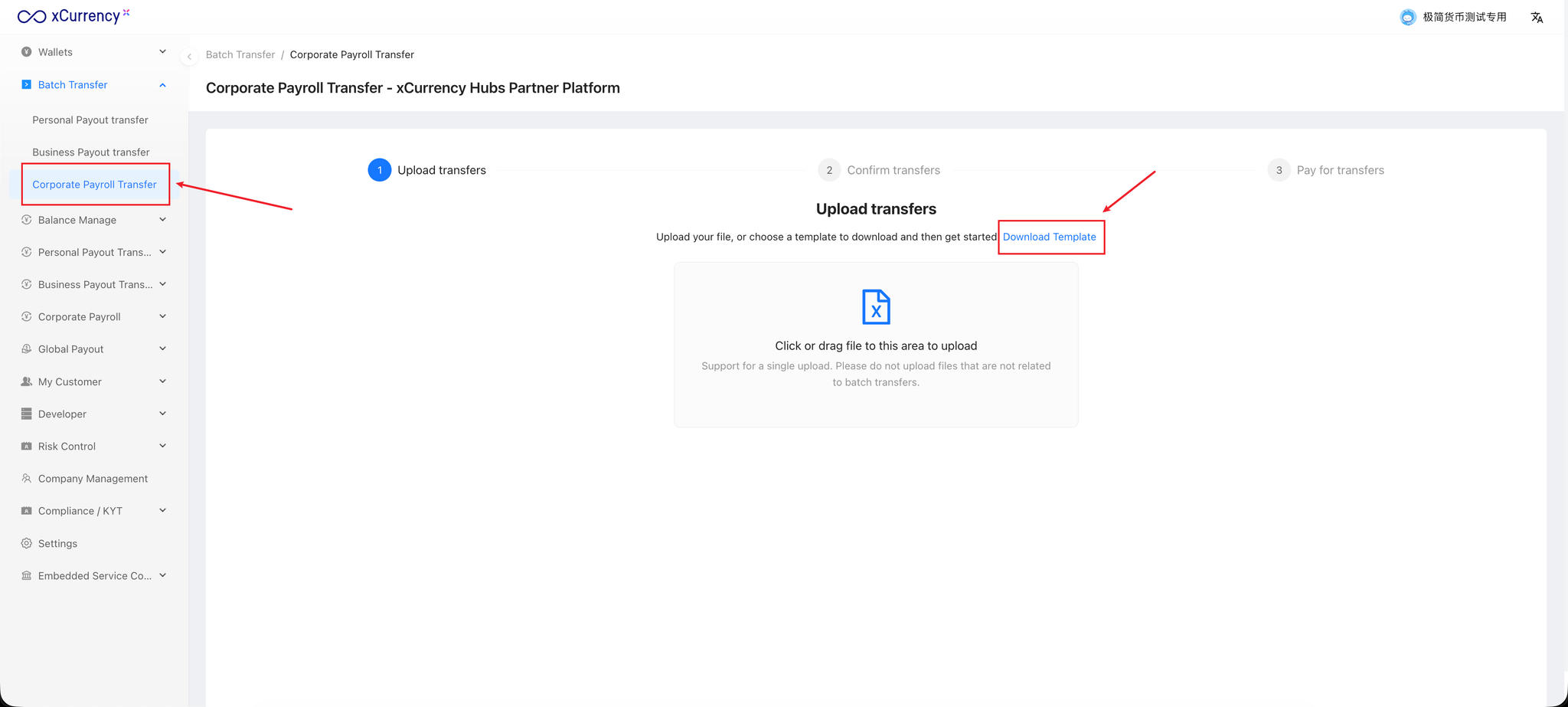
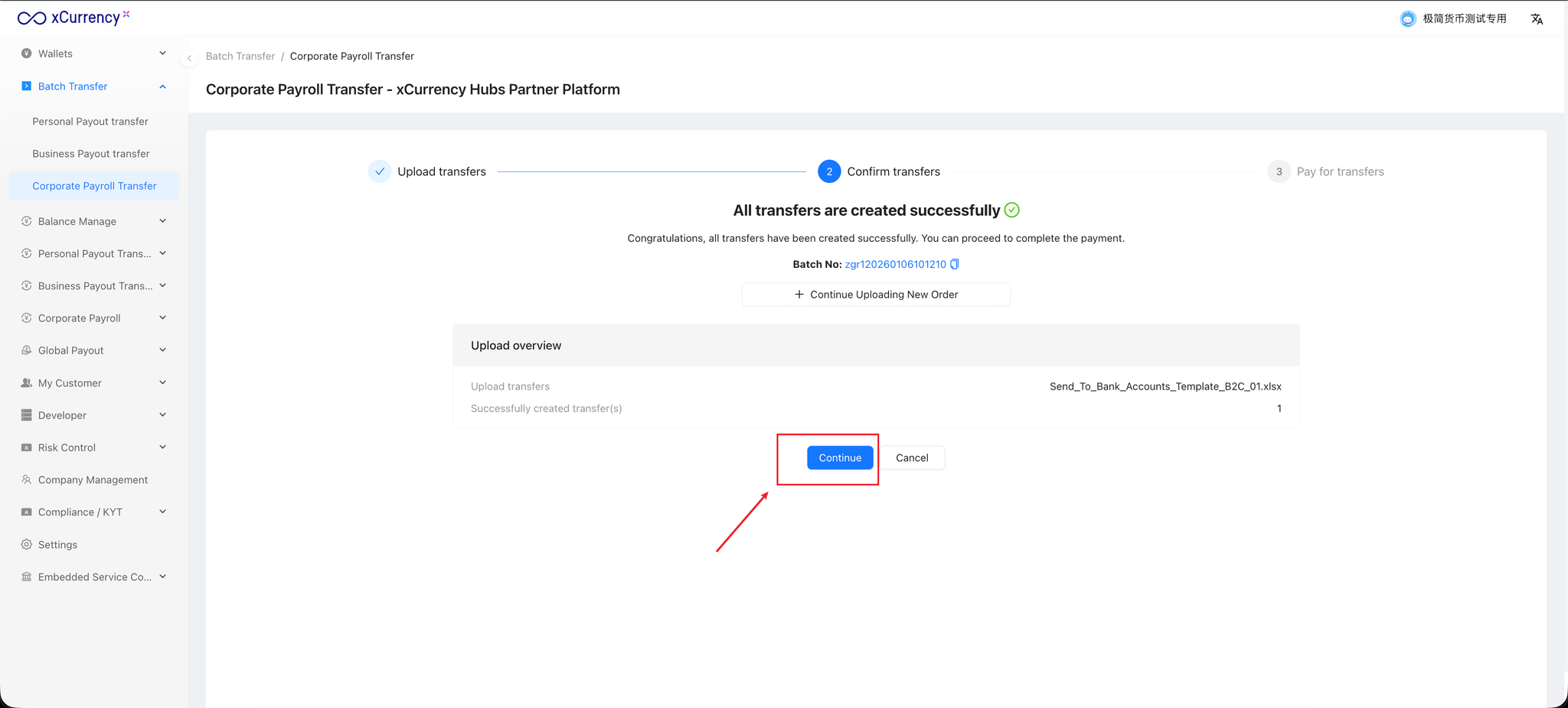
In the left-hand menu, select “Batch Transfer” → “Corporate Payroll Transfer”.
Click “Download Template” to download the Corporate Payroll Excel template.
Appendix: Corporate Payroll Excel Template File
4. Visual Management of Corporate Payroll Orders
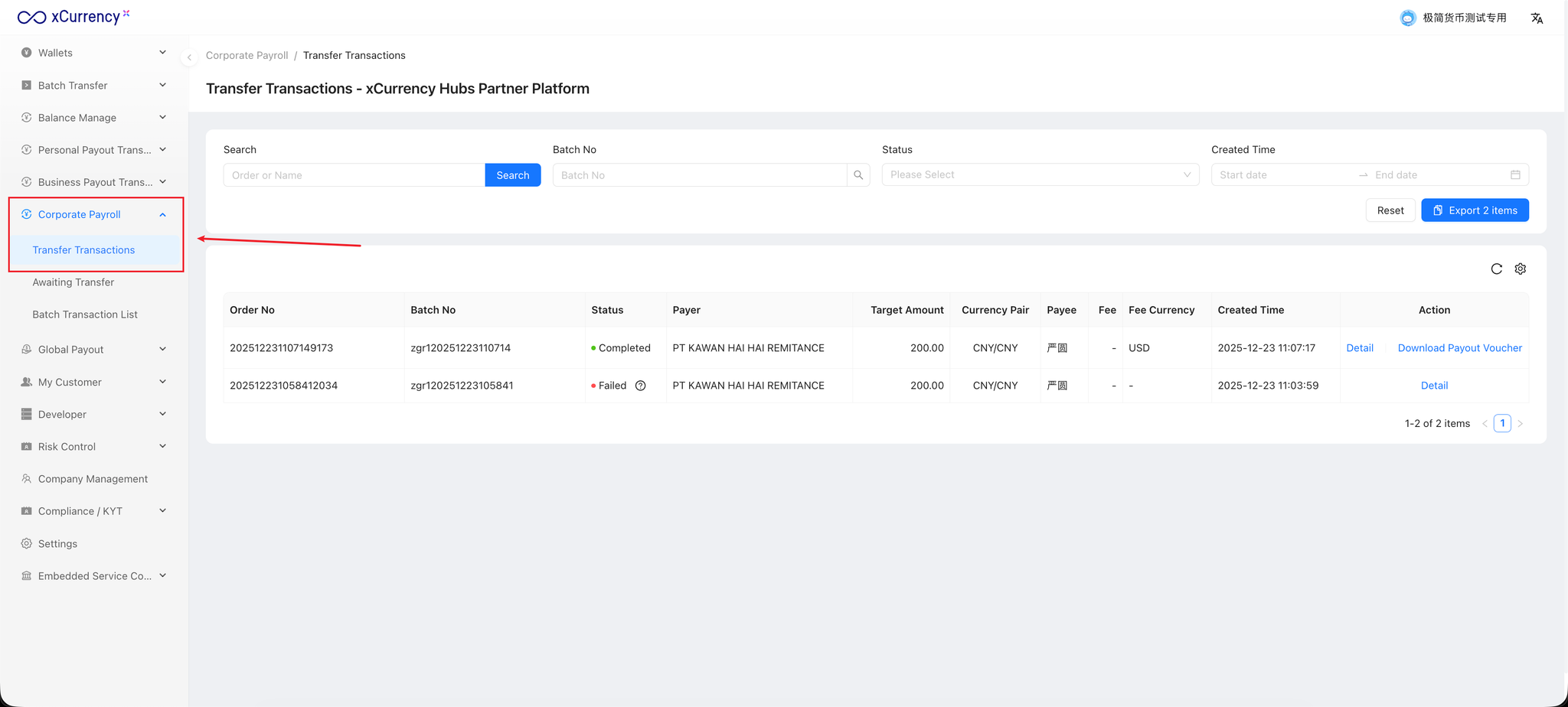
Created payroll orders and their payment statuses can be viewed under
“Corporate Payroll” → “Transfer Transactions”.
API Integration Guide
Note:
When integrating via API, the payer company must also be submitted for review in the SaaS platform in advance. Only after the payer company has been approved can it be used to create corporate payroll orders via API.
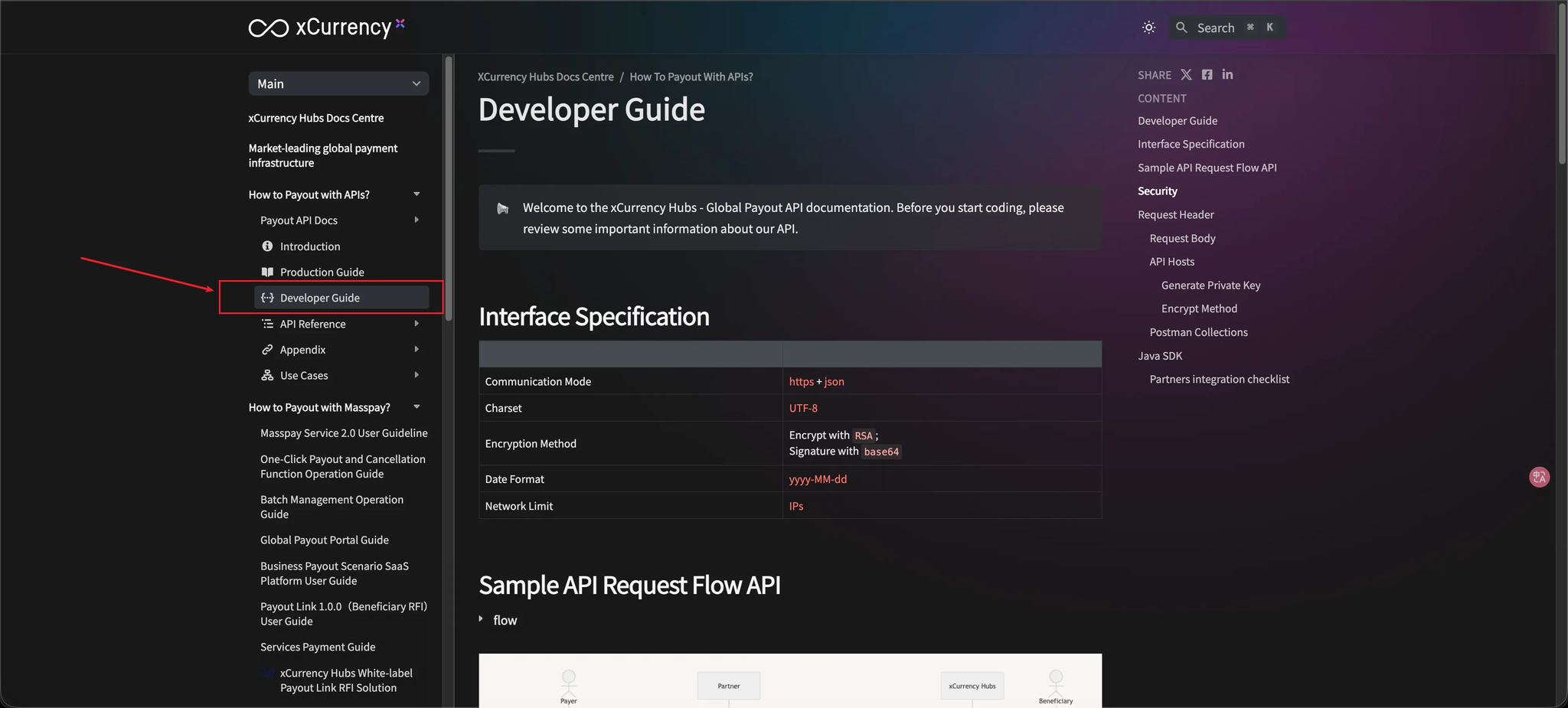
1. Developer Guide
Link
The Developer Guide provides detailed information on how to integrate with the API, including parameter specifications, required credentials and permissions, API host configuration, and request/response encryption and decryption mechanisms.
2. API Reference
Link
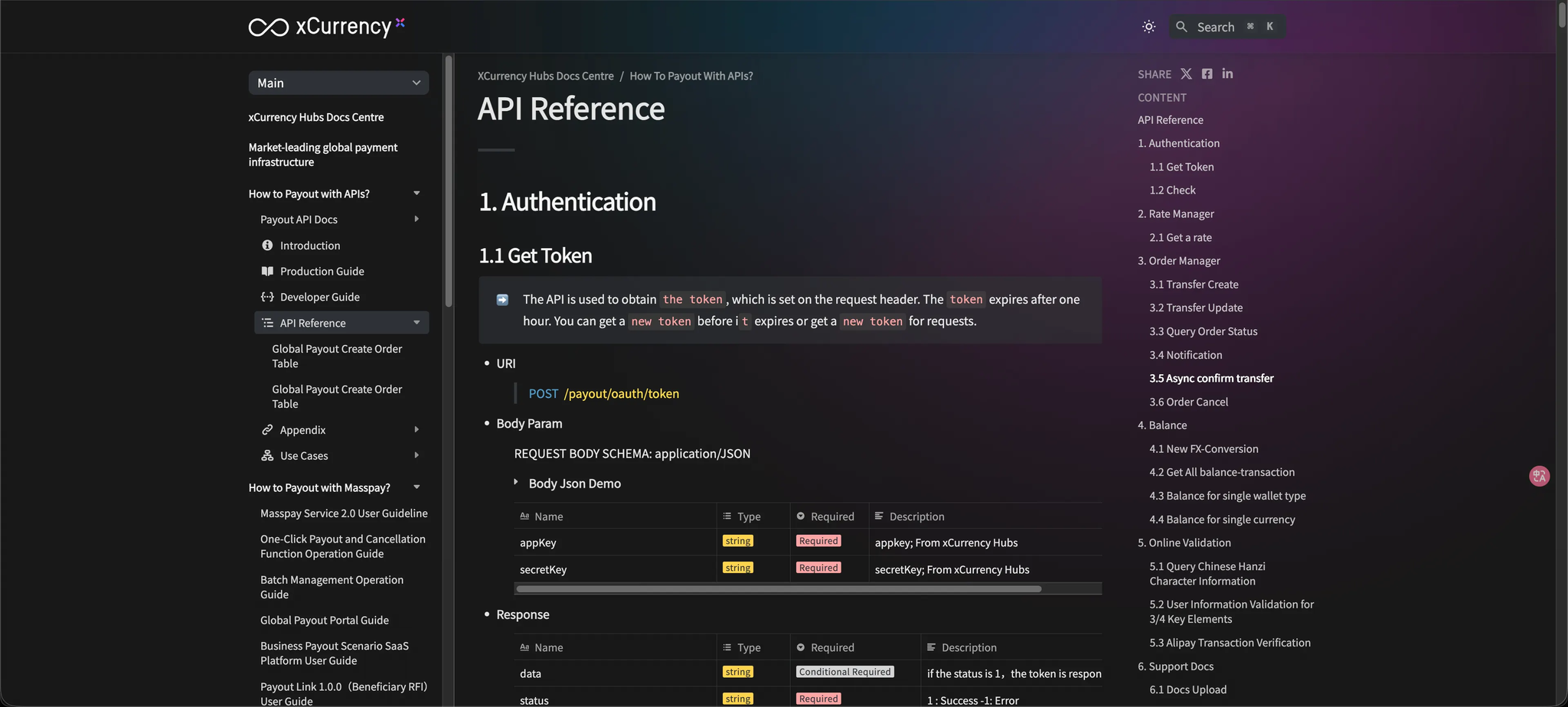
The API Reference lists all available APIs, including descriptions, endpoint URLs, request format requirements, and sample responses.
Note:
The following APIs are required for the Corporate Payroll business scenario.
- 3.1 Transfer Create
- 3.3 Query Order Status
- 3.4 Notification
- 3.5 Async confirm transfer
3. Required Fields for Corporate Payroll
Link
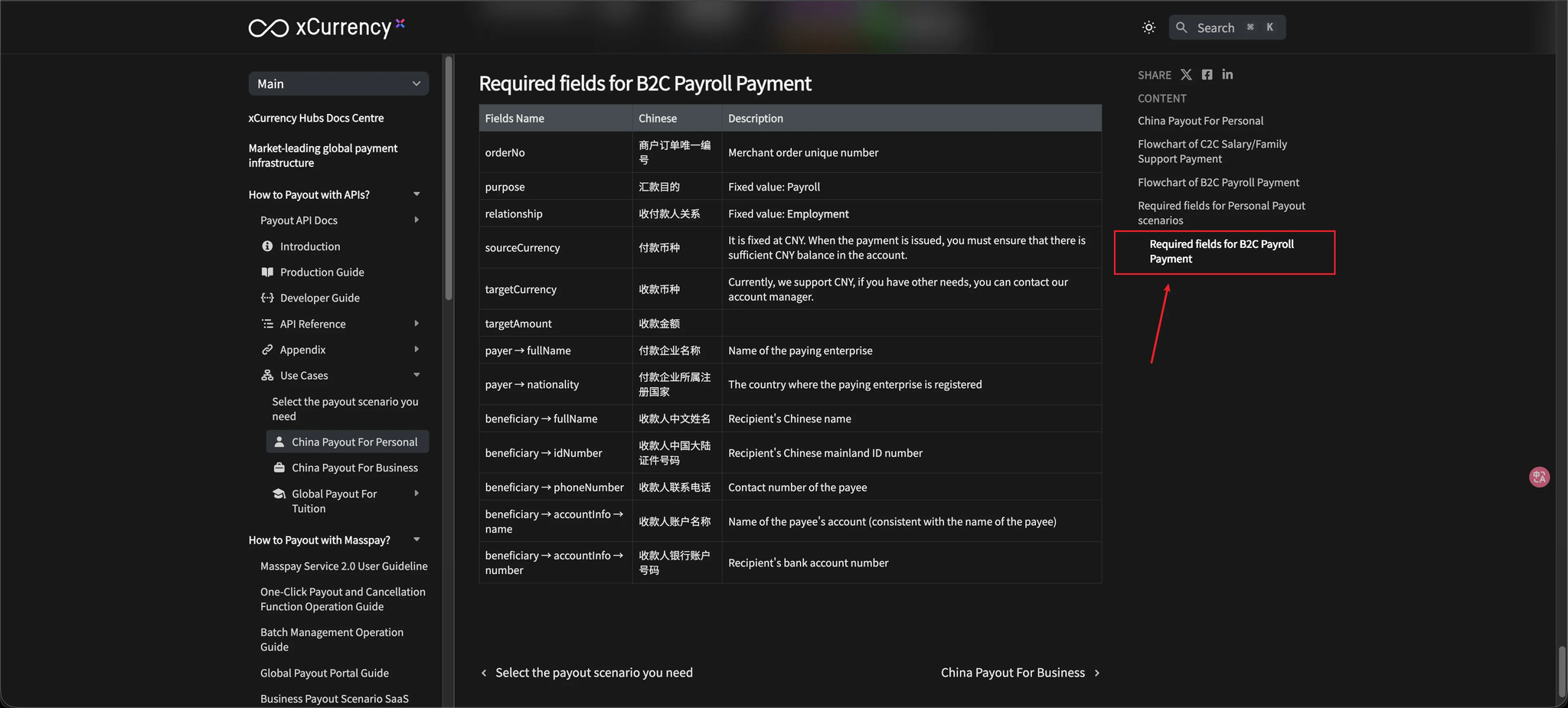
Appendix:
Sample JSON request for the Create Corporate Payroll Order API
javascript{
    "orderNo": "your orderNo",
    "purpose": "Payroll",
    "relationship": "Employment",
    "sourceCurrency": "CNY",
    "targetCurrency": "CNY",
    "targetAmount": 99,
    "payer": {
        "fullName": "PT PAYMENT SOLUTION TERDEPAN",
        "nationality": "ID",
        "accountInfo": {},
        "address": {}
    },
    "beneficiary": {
        "fullName": "梁志平",
        "idNumber": "362422199404246213",
        "phoneNumber": "18682366639",
        "address": {},
        "accountInfo": {
            "name": "梁志平",
            "number": "623058000448348099"
        }
    }
}