搜索
⌘
K
Main
中文
🇨🇳
极简货币文档中心
市场领先的全球跨境支付基础设施
《xCurrency Hubs|Product Deck》
API 接口
探索我们的产品
中国代付
xHubs 接口文档
如何使用企业发薪批量代付产品?
B2C 企业发薪 2.0 产品 SOP手册
如何使用个人汇款批量代付产品?
批量转账服务 2.0 用户使用指南
一键下发与取消操作指南
Payout Link 1.0.0( Beneficiary RFI)使用指南
如何选择换汇方式
如何使用企业汇款批量代付产品?
企业汇款场景 SaaS平台使用指南
商业汇款POBO 模式使用流程介绍
如何使用基于 XC 系统的服务?
XC同业机构 SaaS平台1.0使用指南
XC 代理机构SaaS平台1.0使用指南
基于交易对(汇款人 - 收款人)来提升额度信用等级
【xCurrency Hubs】白名单交易对额度信用等级提升
如何使用全球汇款批量代付产品?
全球汇款场景 Saas平台使用指南
服务贸易指引
《xCurrency Hubs|产品手册》
业务产品介绍(中国大陆)
业务产品介绍(全球付款)
帮助您更好地接入和使用我们的产品
如何提交证明文件?
通过批量上传证明文件提前进行客户的准入
采集收款人汉字信息的指南
银行 App 备付金账户转账指南
支付宝旅行钱包产品介绍
条款和政策
条款和政策
隐私协议
极简货币文档中心
/
如何使用个人汇款批量代付产品?
一键下发与取消操作指南
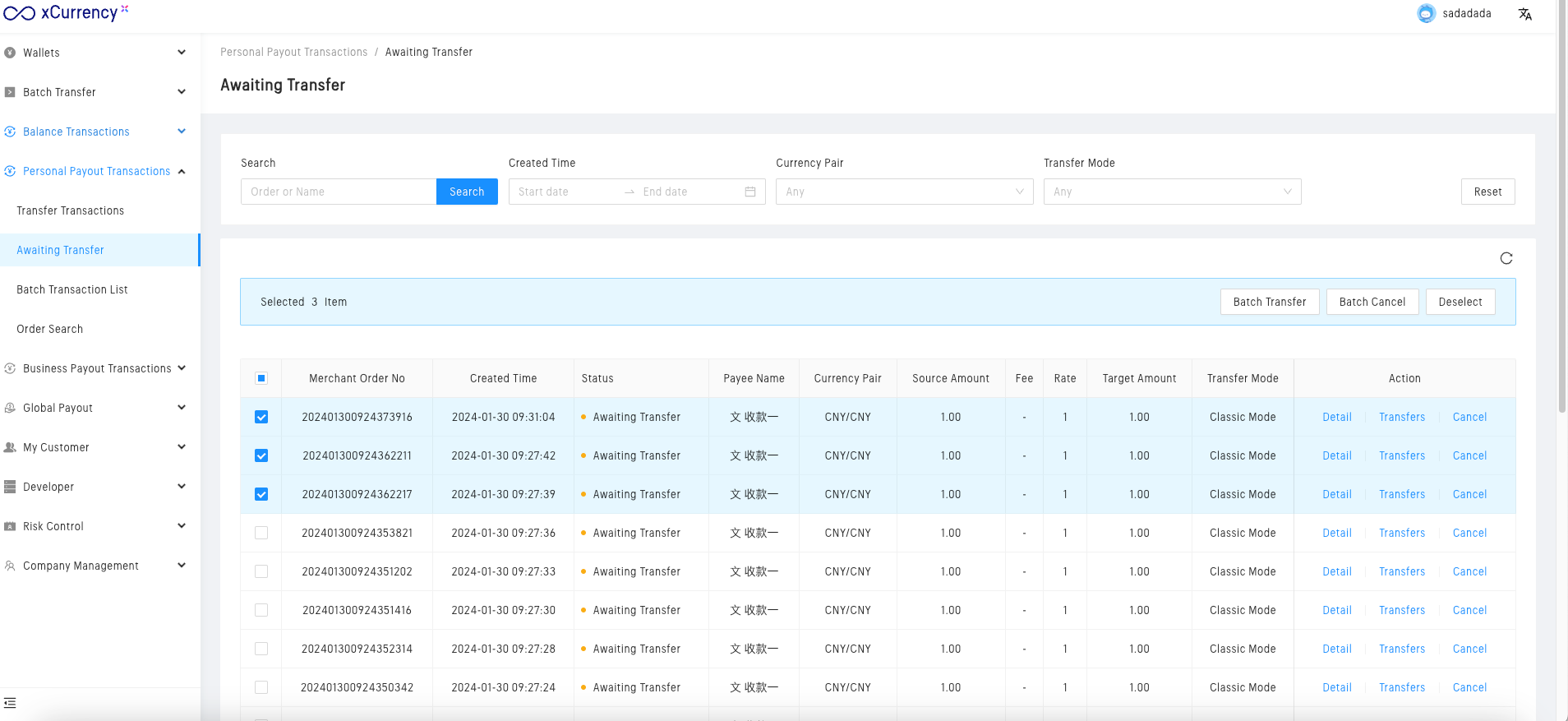
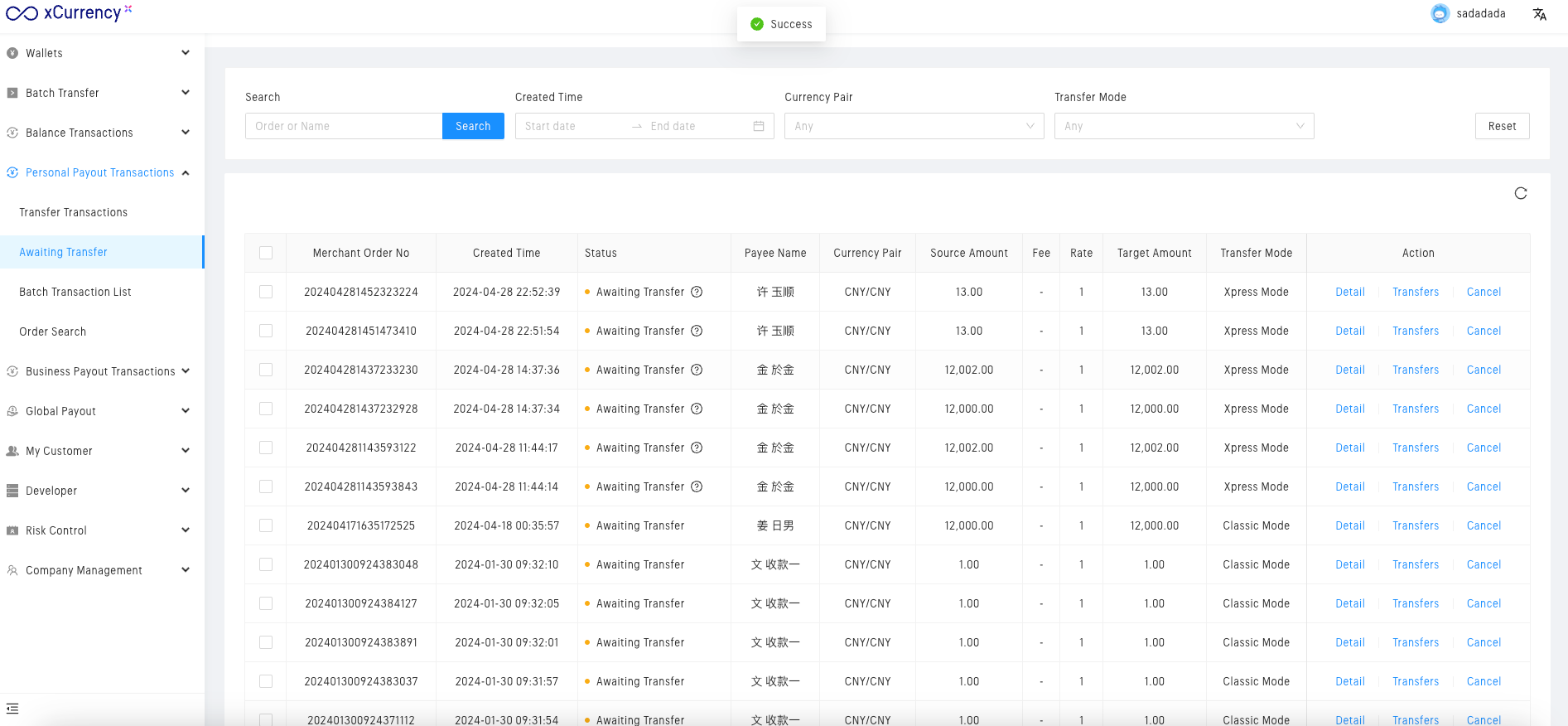
选择需要
批量转账
的订单。
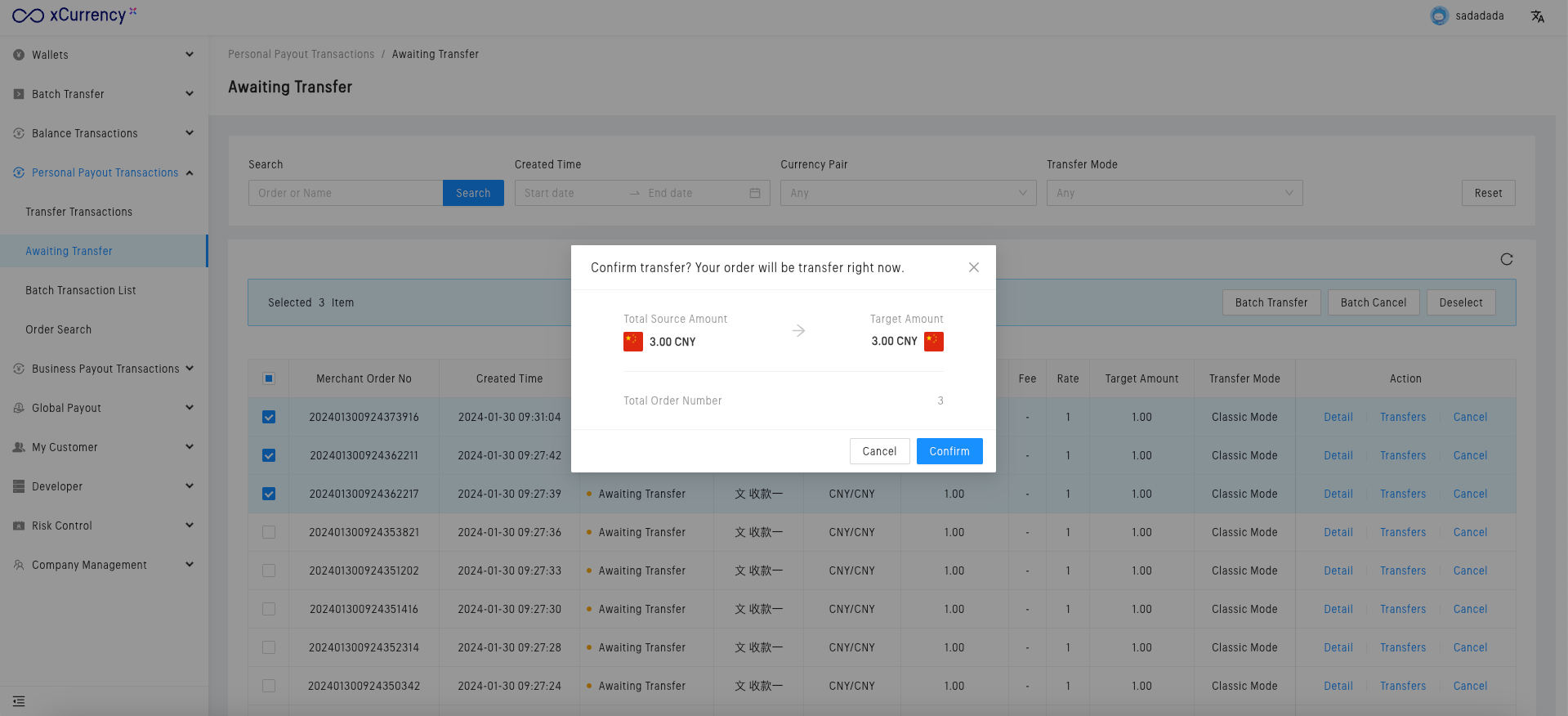
点击
批量转账
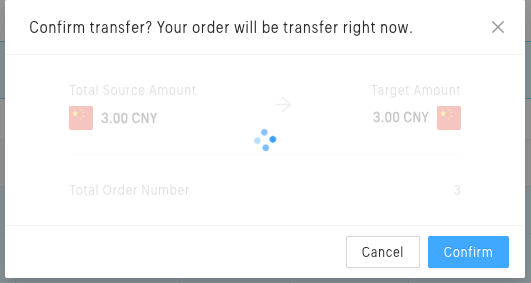
,弹出确认对话框。
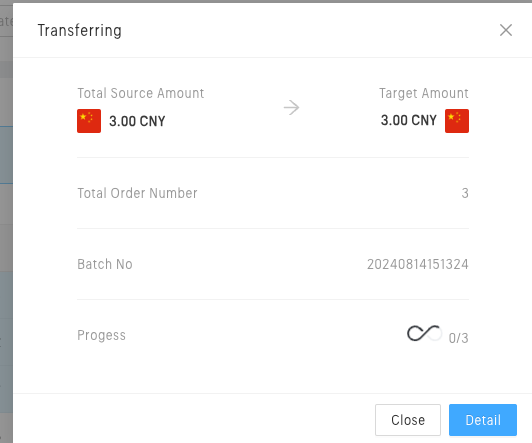
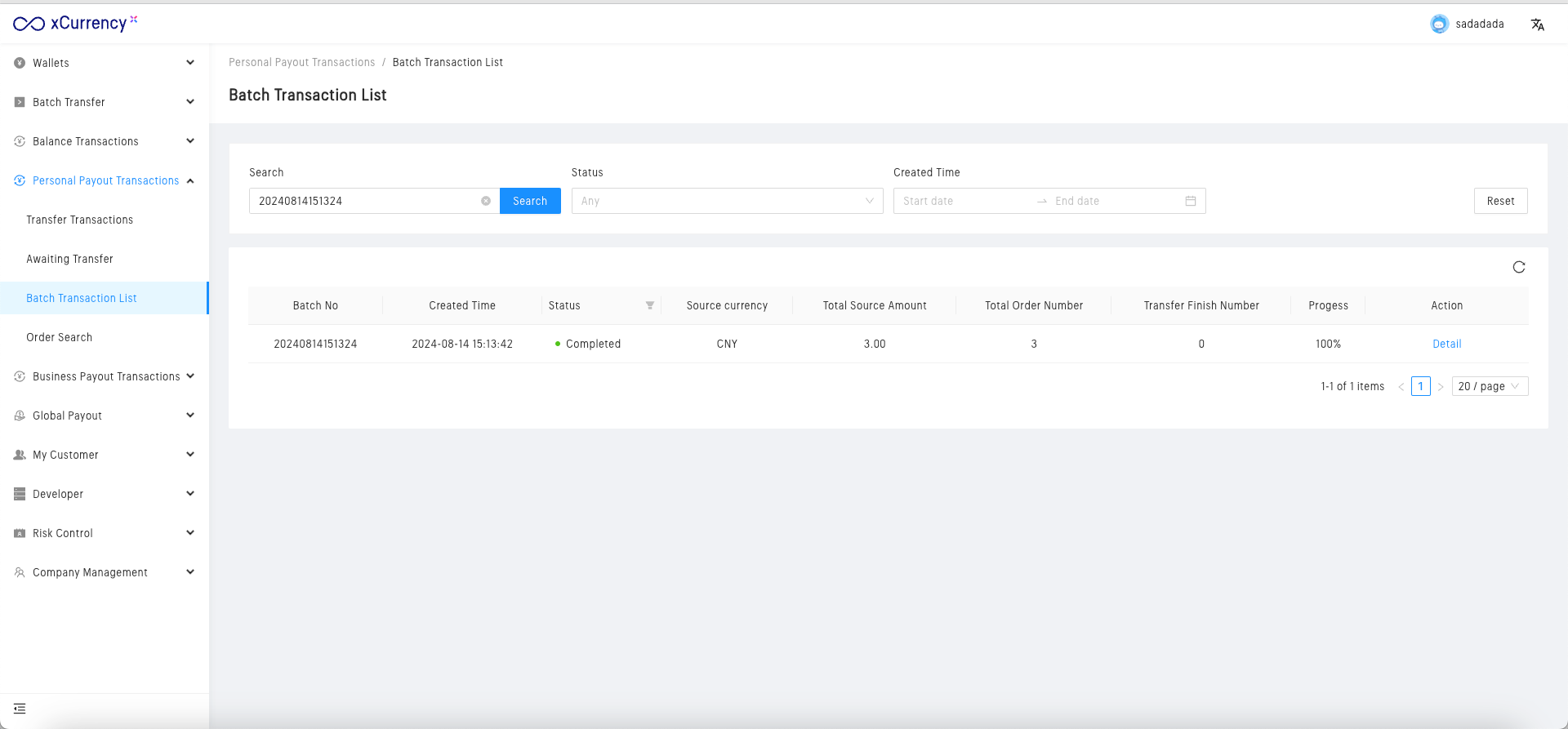
确认后显示批次号。
点击跳转至
批量转账列表
。
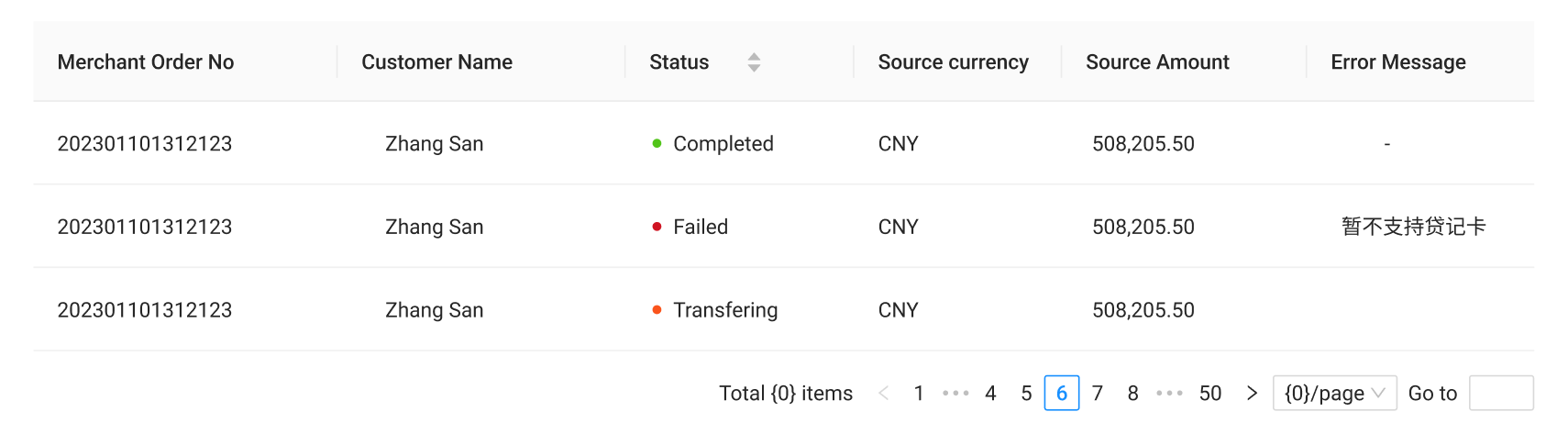
查看详情。
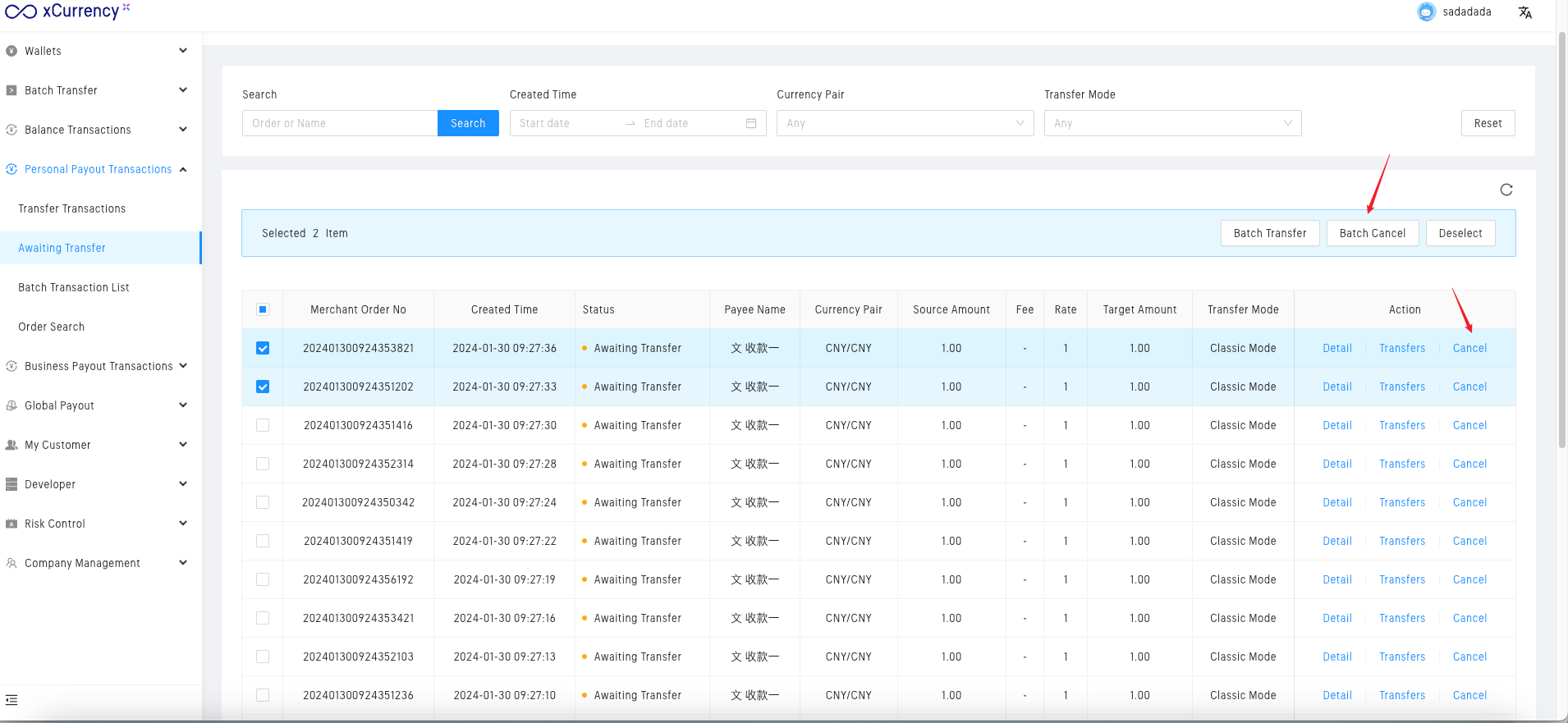
二、取消订单
💡
只有
待下发
状态的订单,才可以取消订单。
单笔订单取消。
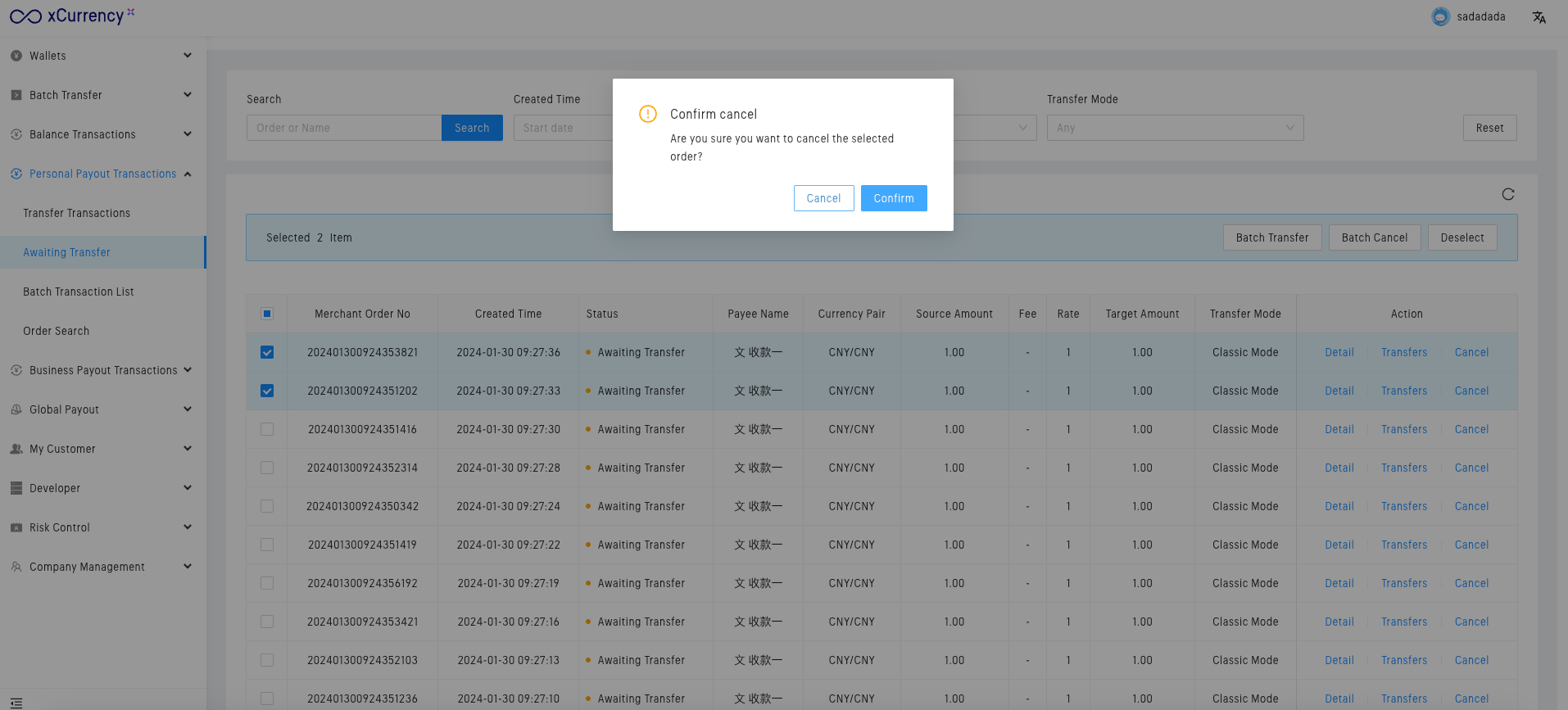
批量取消订单。
批量转账服务 2.0 用户使用指南
Payout Link 1.0.0( Beneficiary RFI)使用指南
由...提供支持
Notaku
有帮助吗?
分享
内容
一键下发与取消操作指南
二、取消订单